

Image assets
Upload your product images to your Facebook Pages ahead of time so they send faster, and manage the uploaded copies
An image asset is a product image that Fastcom has already uploaded to one of your Facebook Pages. Each asset has an Attachment ID, so the image can be sent again without uploading it each time, which makes sending product images faster. The Image Assets page lists every asset with the product and the Page it belongs to.
Catalog & Content › Image Assets Open Image AssetsYou need Image Assets: Read to see the page, and Image Assets: Write to delete assets.
Create image assets for a store
You create assets from your inventory, one store at a time. Every product with images in the store is uploaded to each Facebook Page connected to that store. You need Image Assets: Write; without it, the Generate Attachment IDs button doesn't appear.
- Go to Catalog & Content › Inventory and pick the store.
- Click Generate Attachment IDs.
- Check the list of connected Facebook Pages, then click Generate.
- When it finishes, click Close.
Running it again refreshes the attachment IDs that already exist. If the dialog says No Facebook pages connected to this store., connect a Page to the store first.
Open InventoryFind an image asset
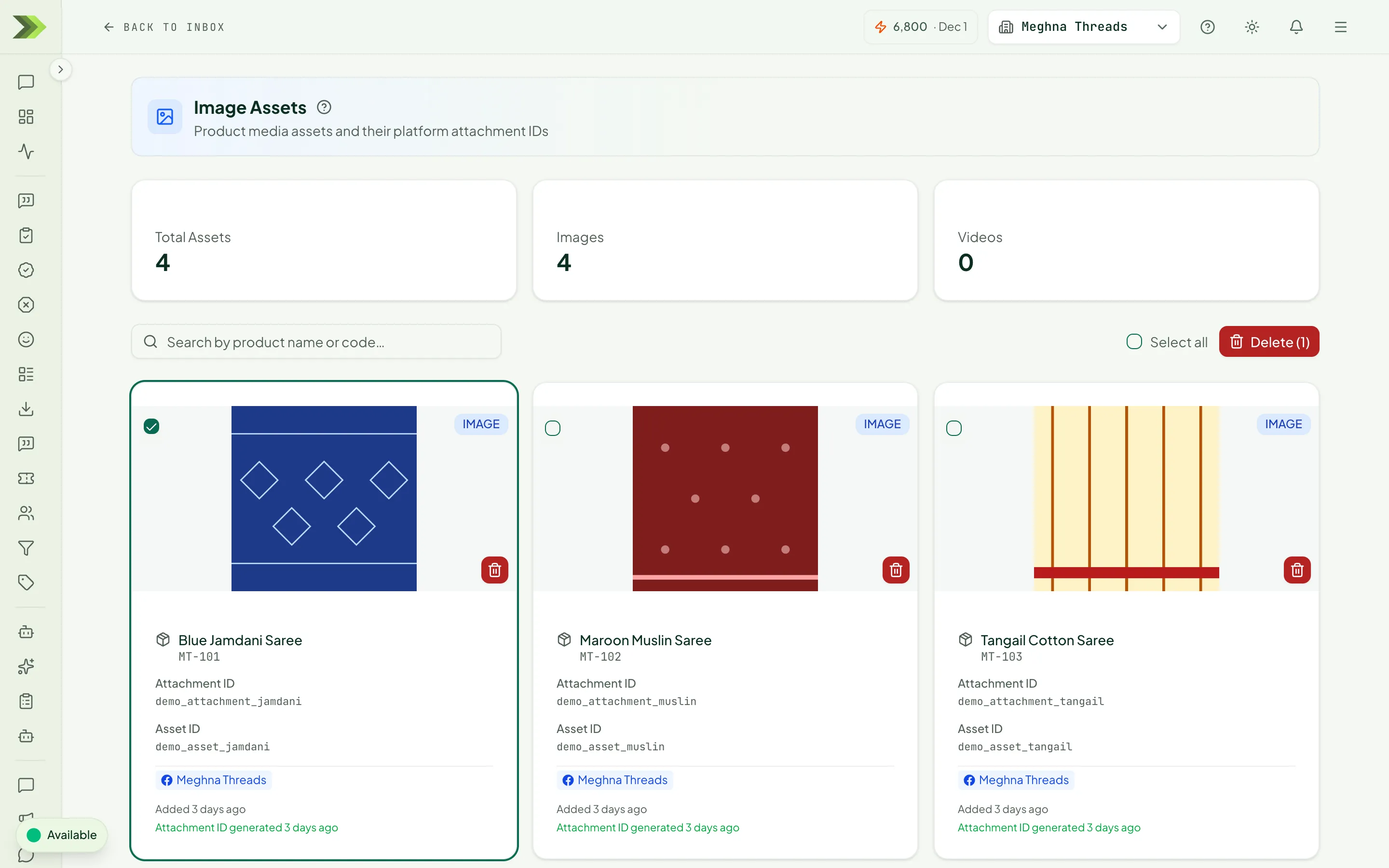
The cards at the top count Total Assets, Images and Videos. Type a product name or code in Search by product name or code… to narrow the list; more assets load as you scroll.
Each asset card shows:
- the image, and whether it is an IMAGE or a VIDEO;
- the product's name and code;
- the Attachment ID and the Asset ID, each copied with a click;
- the Facebook Page, Instagram account or WhatsApp number it belongs to;
- when it was added, and when its attachment ID was generated.
An asset showing Not generated or No attachment ID yet has no attachment ID.
Delete image assets
- Select the assets with their checkboxes, or click Select all.
- Click Delete. To delete one asset, click the bin icon on its card instead.
- Click Delete to confirm.
Deleting removes the assets and their attachment IDs for good. Your product images in the inventory stay as they are.
Who can do this
| Area | Owner | Admin | Member |
|---|---|---|---|
| Image Assets | All | Read, Write | - |
Last reviewed 29 October 2026