

Inbox
Answer every customer conversation from one list, and keep track of who is handling what
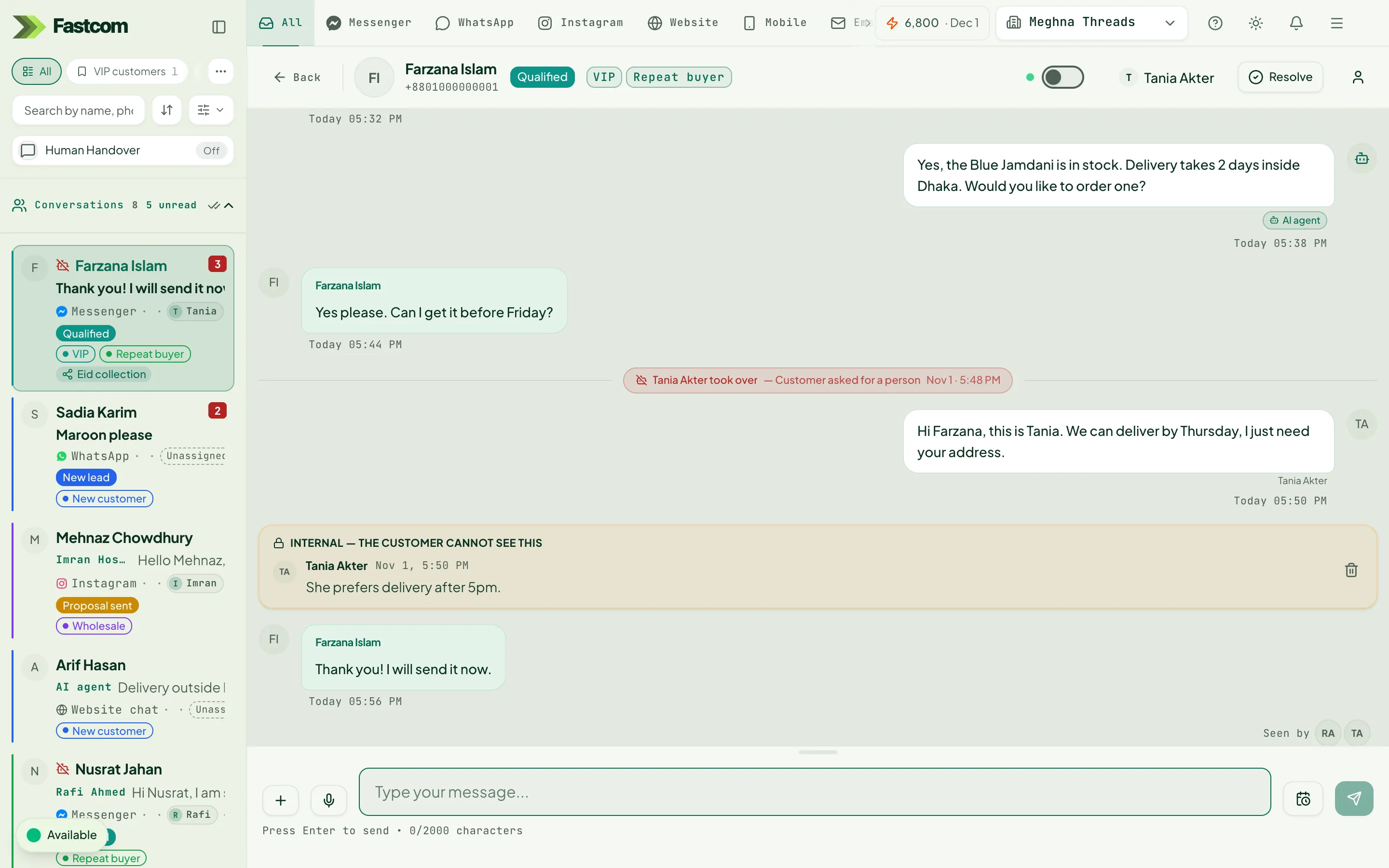
Use the inbox to read and answer your customers on every connected channel, take over from the AI agent, and track each request until it is done.
Open the inboxClick Inbox at the top of the sidebar. It opens the All inbox: one list with every from every channel you can reach. The tabs across the top of the screen switch to one channel's own inbox: Messenger, WhatsApp, Instagram, Website, Mobile, and Voice or Email when your organization has them.
To open the inbox you need Inbox: Read. Replying needs Inbox: Write.
Work your conversations
Find conversations
Search, sort and filter the list, and keep track of what you have read.
Reply to customers
Send messages, files and voice notes, and open the customer panel.
Take over from the AI agent
Switch the AI agent off for one conversation, and back on when you are done.
Tickets
Resolve each customer request and see its history.
Assign conversations
Hand conversations to your team automatically or by hand.
Organize and share knowledge
Tags
Label customers and tickets so you can filter and report on them.
Internal notes
Leave notes for your team that the customer never sees.
Saved replies and saved media
Send answers, images, audio and video you use often in a few clicks.
Inbox views
Save a set of filters and open it in one click.
CRM and lead stages
Keep customer details and move leads through your sales stages.
Set up the inbox for your team
To connect a channel so its conversations reach the inbox, see Channels. To set up the AI agent and decide when it hands a conversation to a person, see Bots & AI.
Who can do what
Your role decides which parts of the inbox you can use. This table shows what the default roles hold; your organization may have changed them or added its own roles.
| Area | Owner | Admin | Member |
|---|---|---|---|
| Inbox | All | Read, Write, Assign, Delete conversations, Filter by teammate | Read, Write, Assign |
| Inbox Views | All | Read, Manage, Use views in the inbox | Read, Use views in the inbox |
| CRM | All | Read, Write, Apply (inbox panel) | Read, Write, Apply (inbox panel) |
| Tags | All | Read, Manage, Apply | Read, Apply |
| Lead Stages | All | Read, Manage, Apply | Read, Apply |
| Saved Replies | All | Read, Write | Read, Write |
| Saved Media | All | Read, Write | Read |
| Ticket Settings | All | Read, Write | - |
Last reviewed 29 October 2026